tfs-test-runner
Convert Azure DevOps / TFS test case
xlsxexports into a self-contained HTML test execution kit with screenshot capture, status tracking, observation notes, and PDF evidence export. No server, works offline, zero config. Optional GPT translation to any language.


What it does
graph LR
    A[xlsx export<br/>from ADO/TFS] --> B[parse]
    B --> C[translate<br/>passthrough or LLM]
    C --> D[group by phases<br/>YAML or default]
    D --> E[render]
    E --> F[plano.html<br/>single-file]
    F --> G[Tester:<br/>paste screenshots,<br/>mark PASS/FAIL,<br/>add notes]
    G --> H[PDF per case<br/>or full plan]
Each stage is a pure function over plain dicts. Intermediate JSON dumpable via --dump-json.
Why
If your team uses Azure DevOps Test Plans or TFS (e.g. *.tfs.<company>.net), you can already export test cases to xlsx. But running them by hand and assembling evidence — screenshots per step, status, notes, packaged as a deliverable PDF — is tedious and error-prone.
tfs-test-runner takes that xlsx and produces a single HTML file you open in any browser. Testers paste screenshots step-by-step (Ctrl+V), mark PASS / FAIL / N/A, write notes, then click one button to print a clean evidence PDF.
State persists in localStorage (text/status) and IndexedDB (images). Backup/restore as JSON. Zero server, zero auth.
Get started
-
Quickstart
Install in 30 seconds, generate your first HTML kit from the synthetic sample.
-
Usage
End-to-end walkthrough for testers running real plans.
-
Configuration
YAML phase grouping, glossaries, custom logo, LLM models.
-
Architecture
Pipeline, data shapes, design choices, and trade-offs.
Screenshots
| Overview with progress + filters | Single case w/ evidence + status |
|---|---|
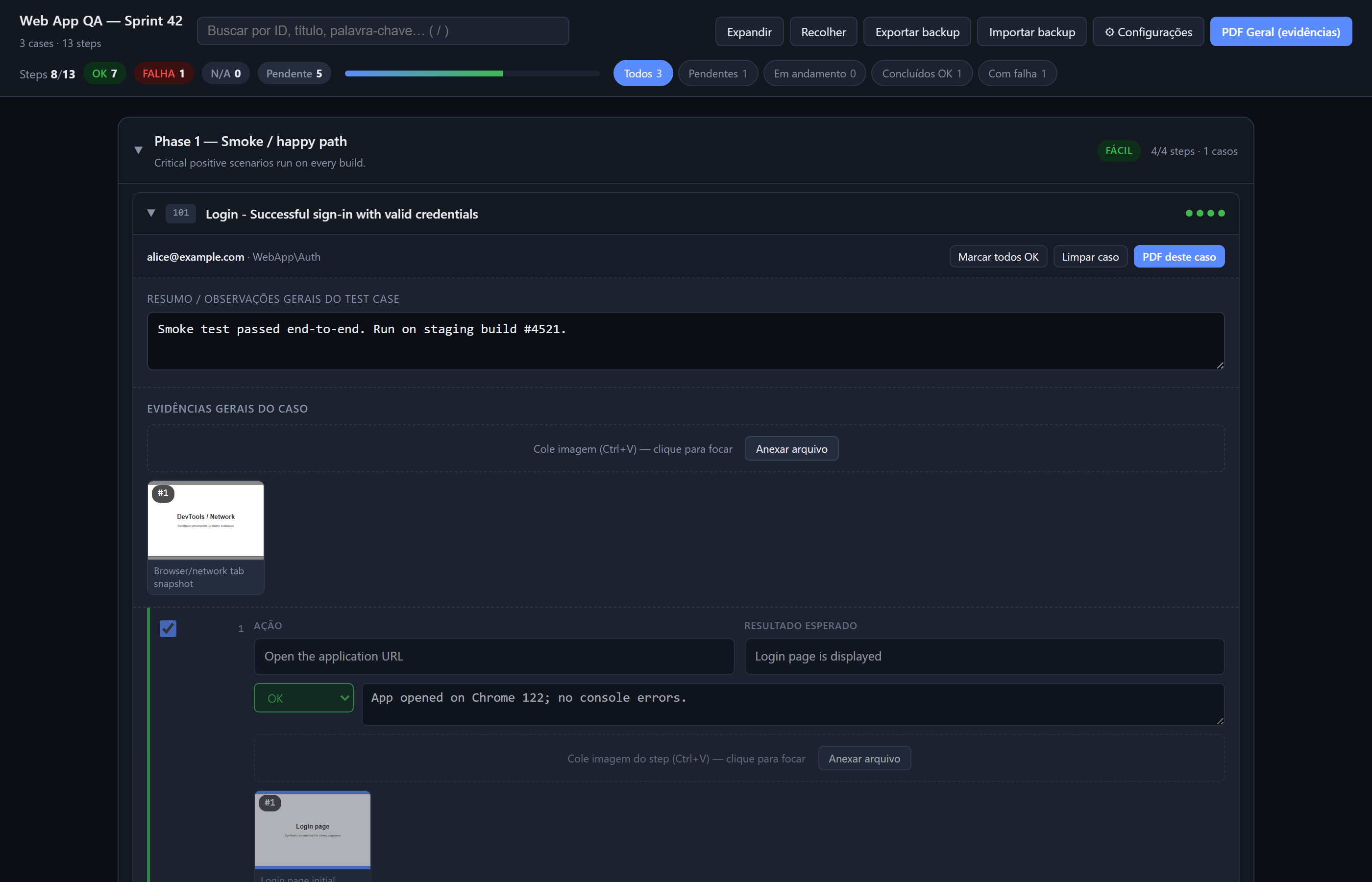 |
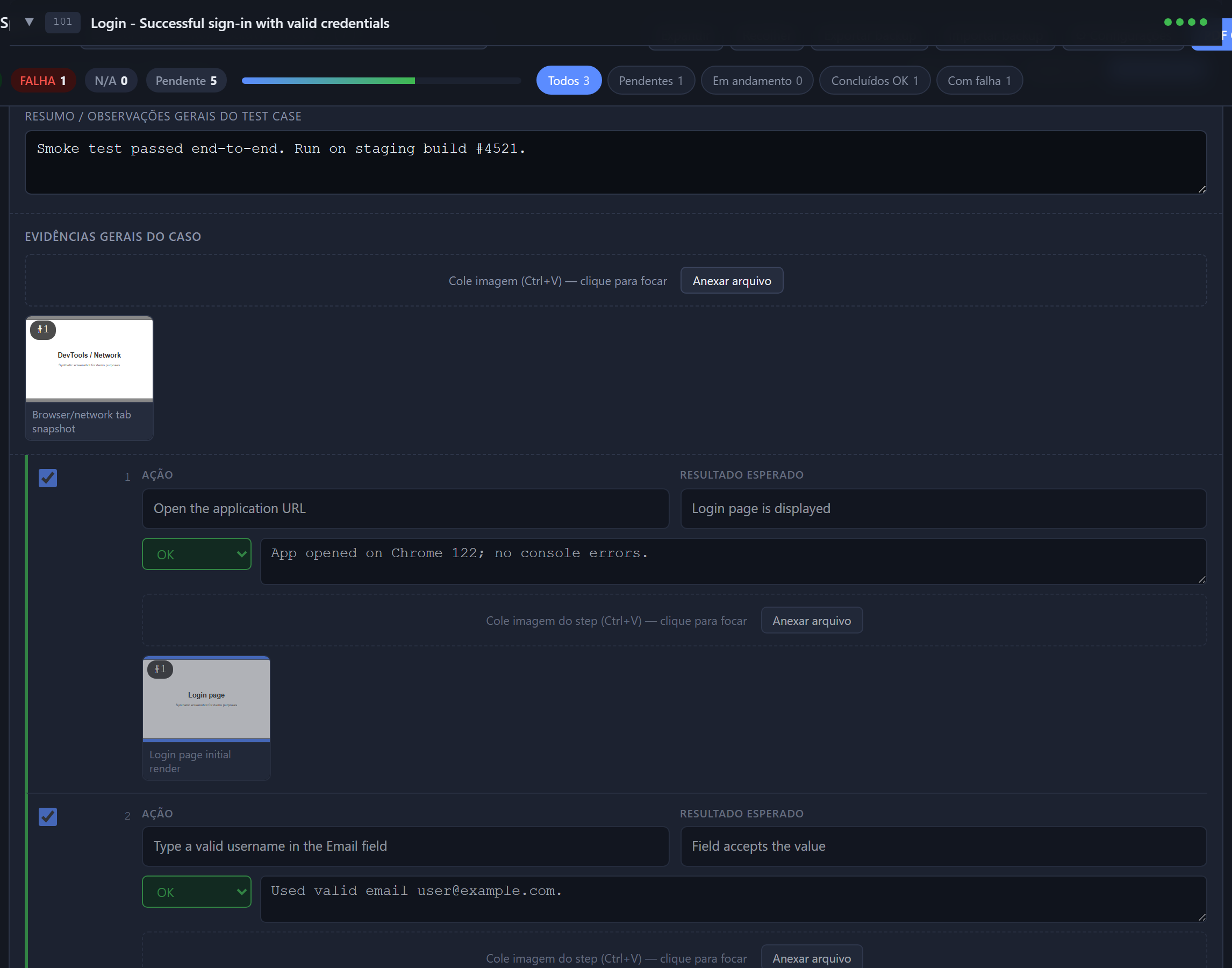 |
More screenshots
| Filter "Failures" | PDF evidence (default) |
|---|---|
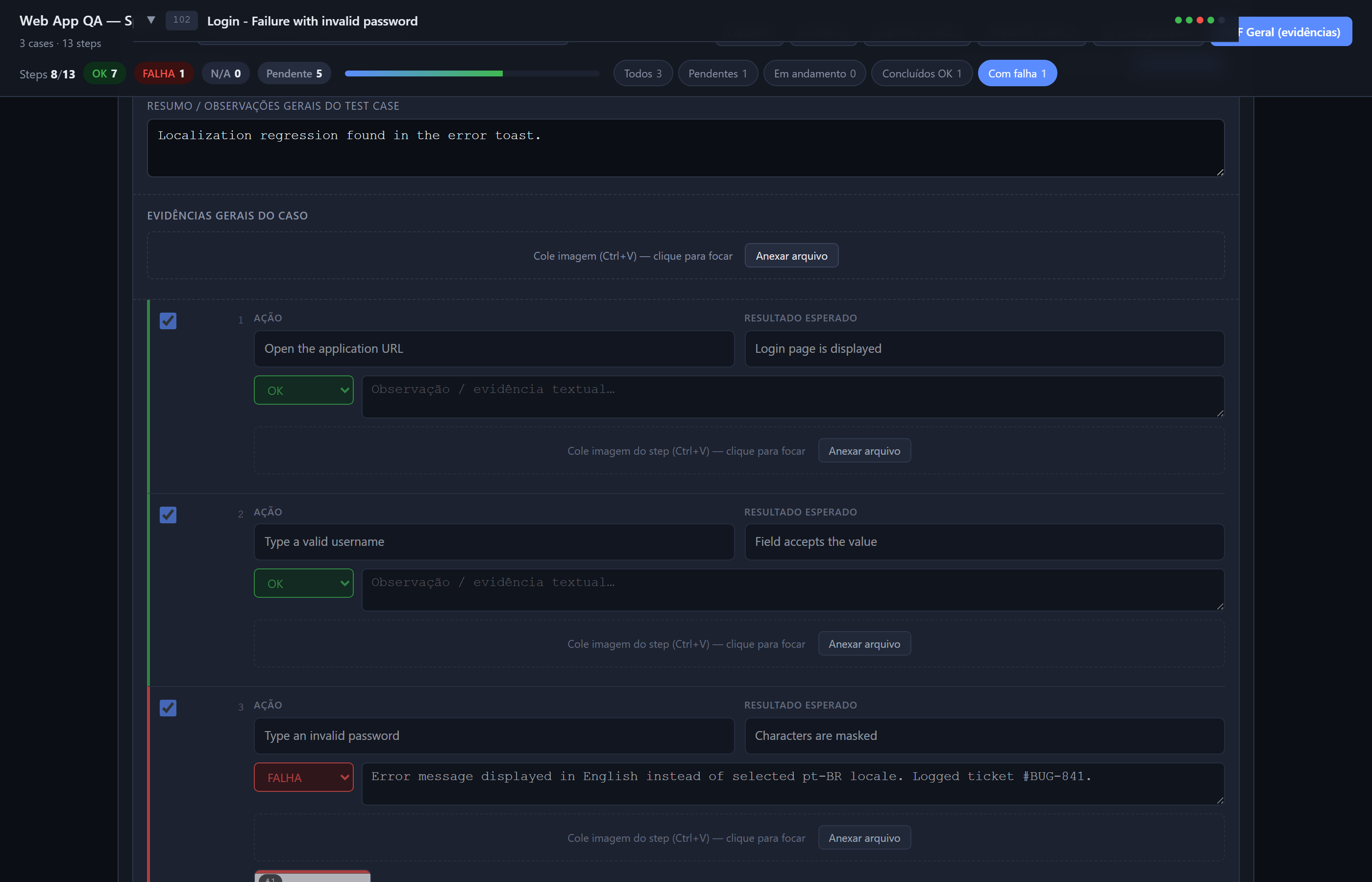 |
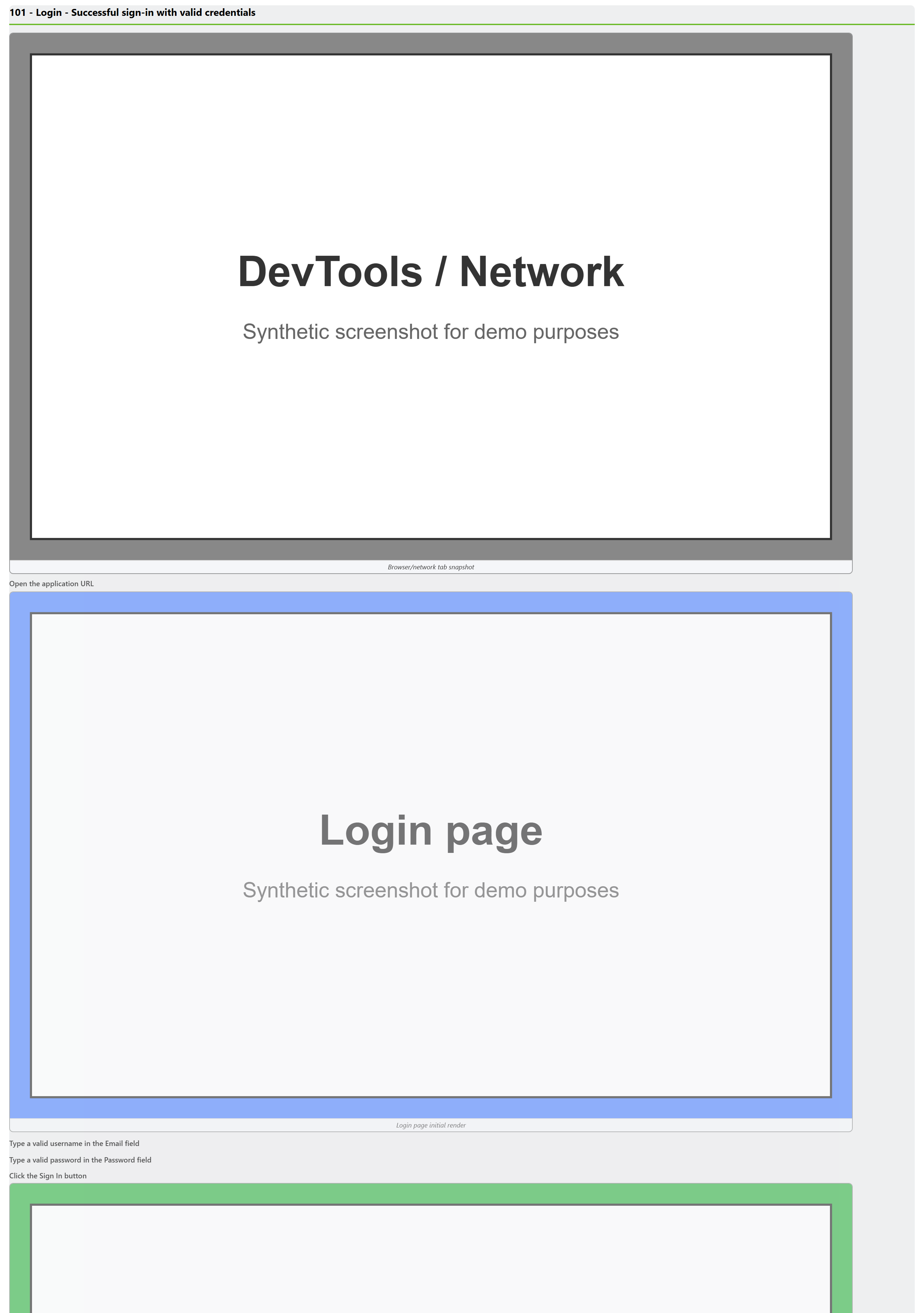 |
| PDF with status pills (toggle ON) | Mobile / narrow viewport |
|---|---|
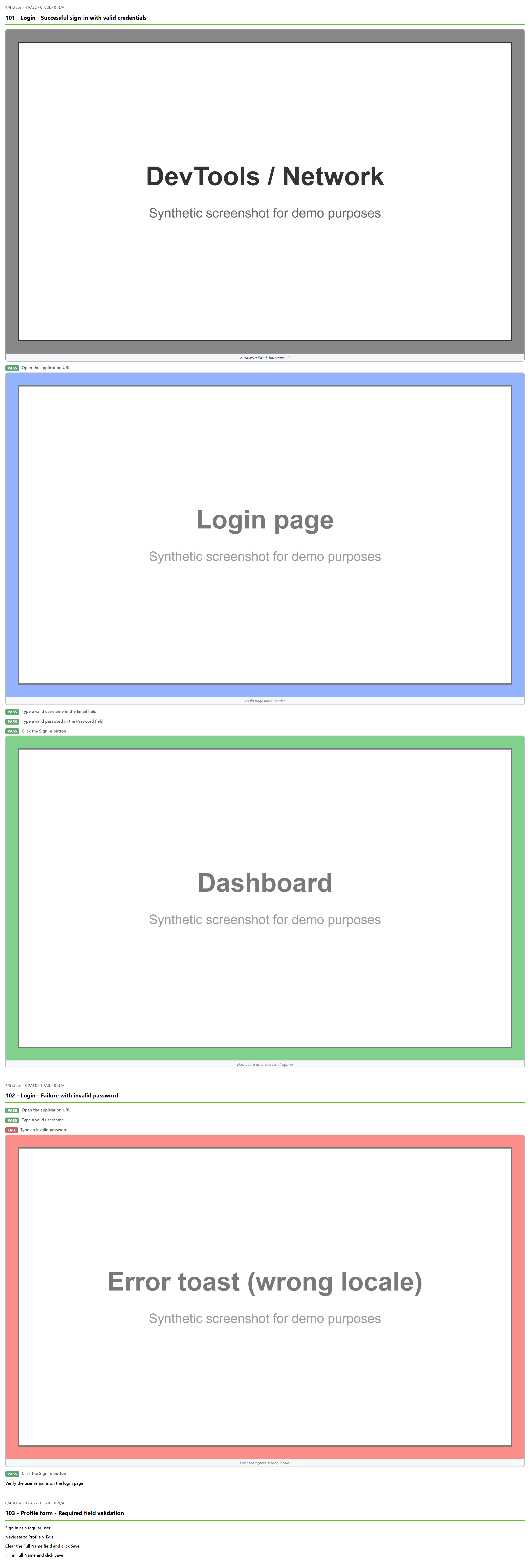 |
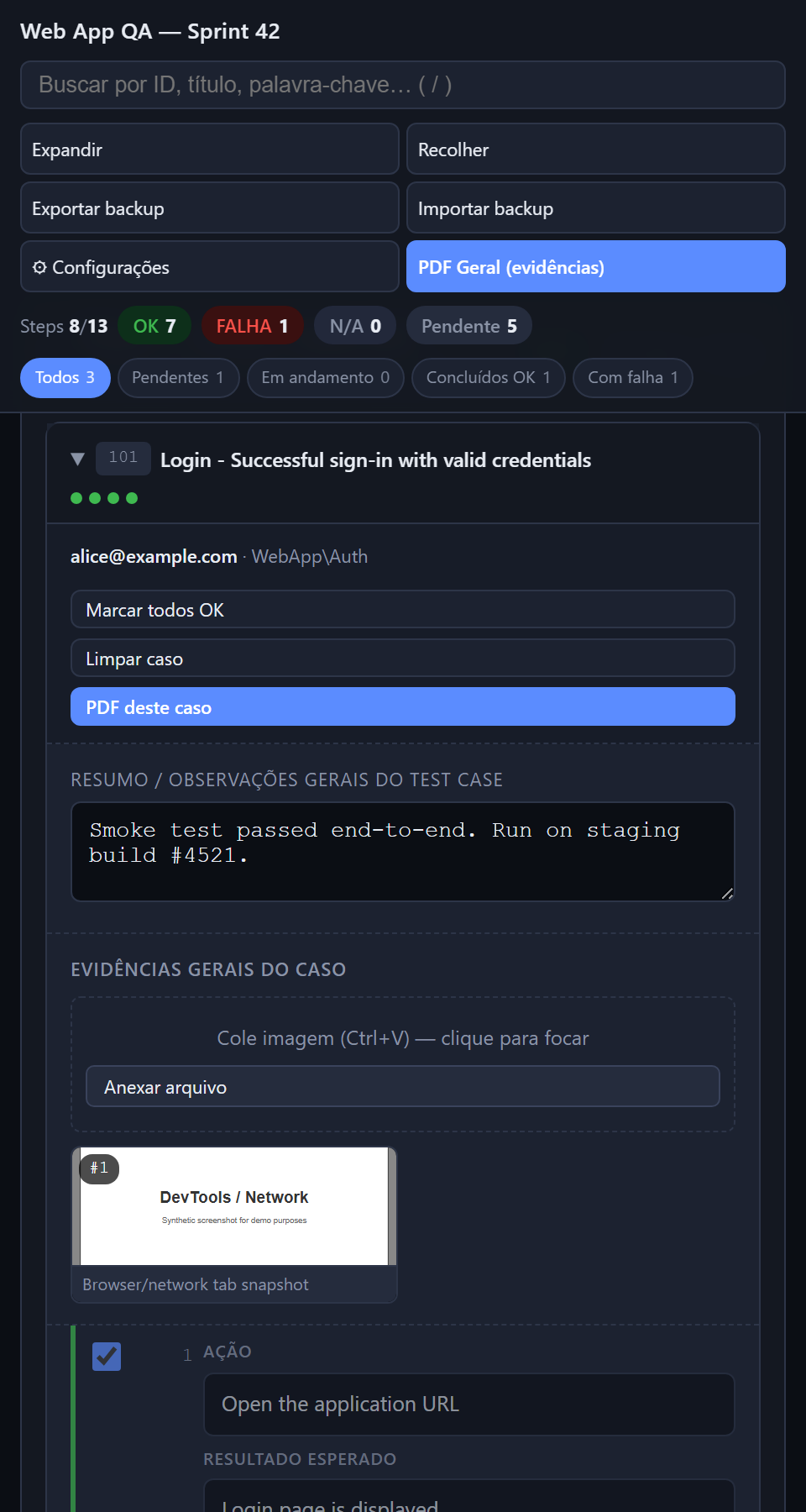 |
| Empty state | Full plan (long screenshot) |
|---|---|
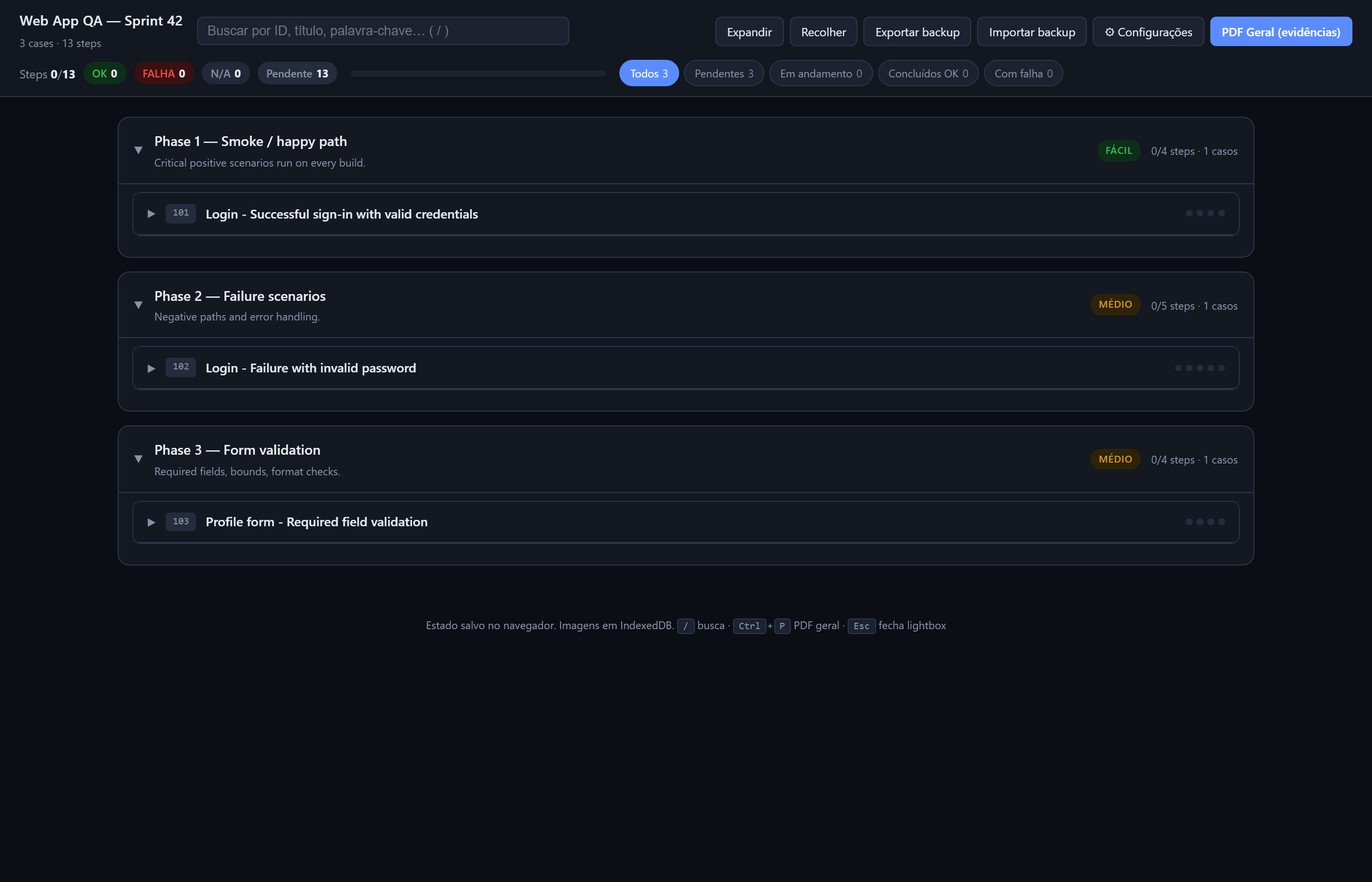 |
03-full-plan.png |
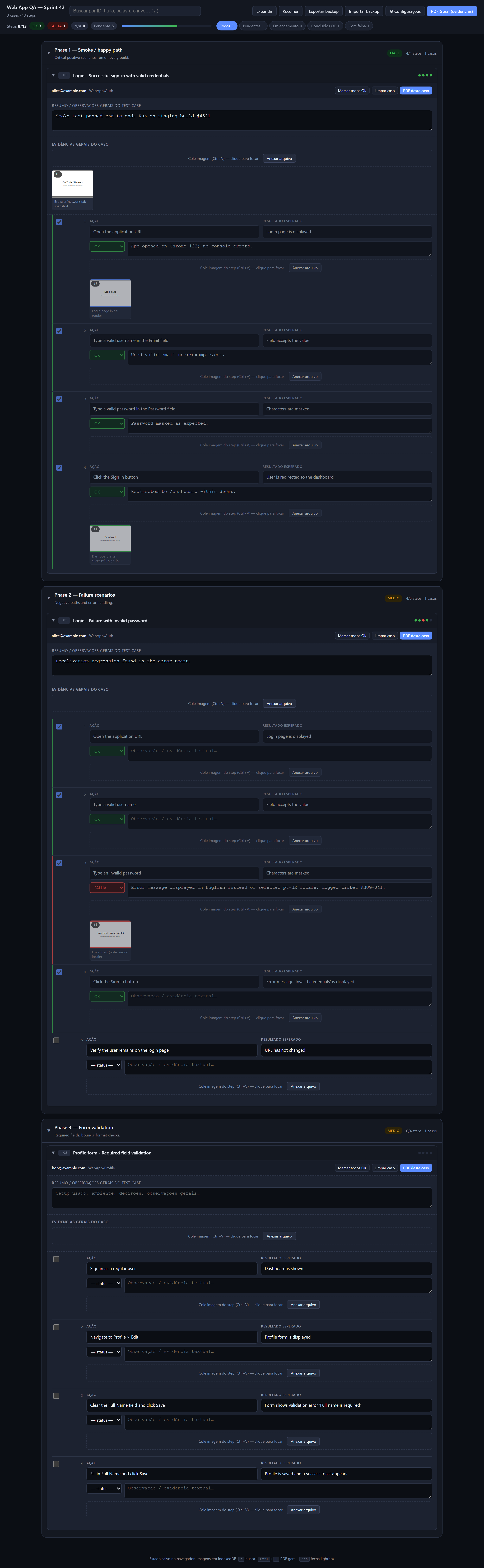
Don't have an xlsx yet?
Two options:
- Use the bundled synthetic sample —
python examples/generate_sample.pycreates a fake plan to play with. - Use the blank template — download blank-template.xlsx and fill it manually. Same schema as Azure DevOps export.